
KatieHunt
KatieHunt
I led end-to-end design and front-end implementation of PromptVault, a browser-based prompt library for saving, organizing, and reusing AI prompts without leaving a dedicated workspace. The product spans four primary areas — Library, Favorites, AI Insights, and Settings — built as a static, framework-free experience with localStorage persistence, so users get immediate interaction with no accounts and no backend.
The practical outcome: a single place to curate prompts with tags and categories, retain context across sessions, and understand usage through lightweight local analytics — appropriate for individual AI practitioners and professional portfolio demonstration.
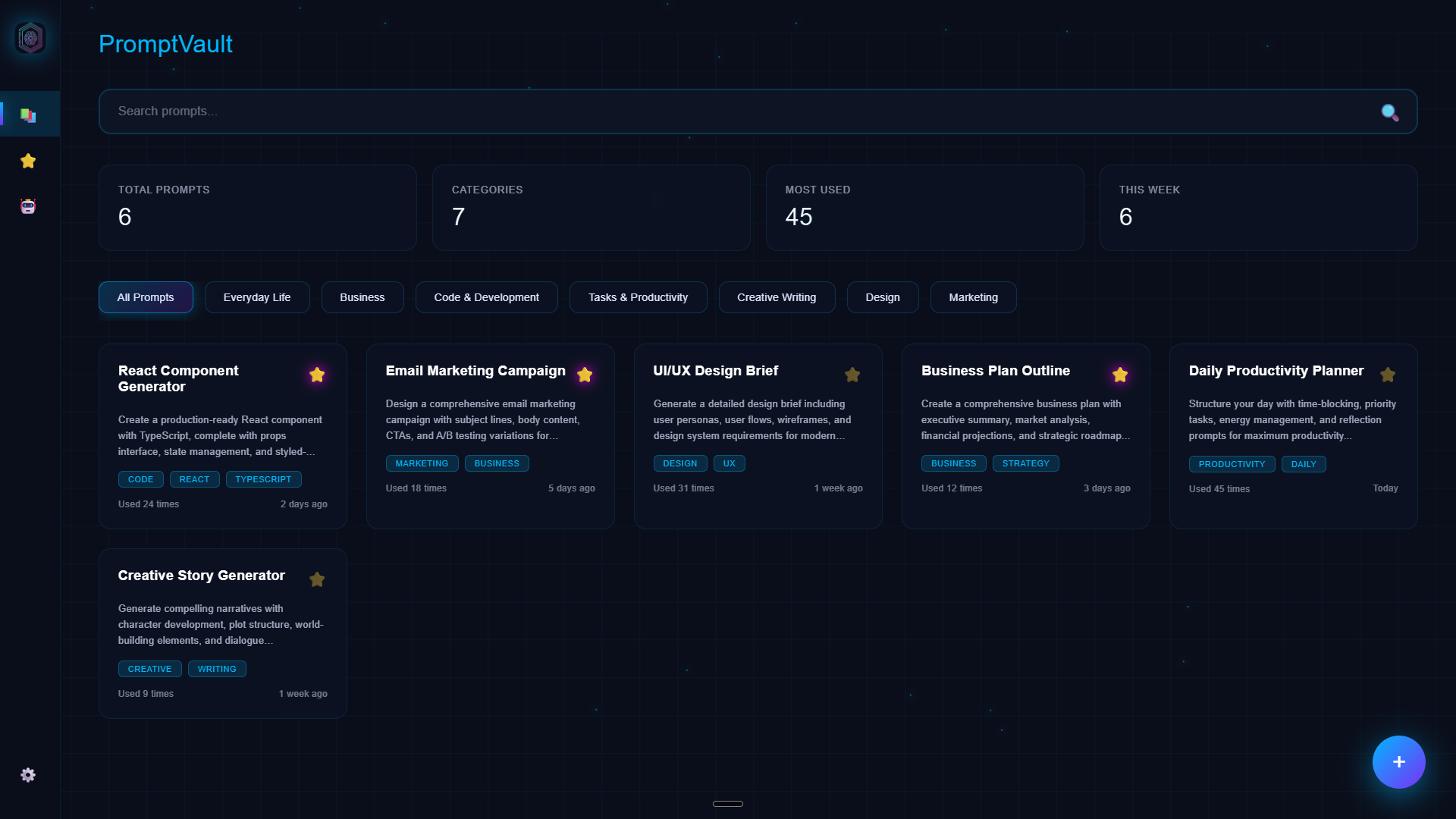
Library — the primary browsing surface: KPI summary bar, category filter chips, and the prompt card grid.
Responsive web layout with persistent sidebar navigation, multi-page routing inside one document, and primary workflow surfaces for browsing, organizing, and maintaining a prompt collection. Four top-level destinations, modal-based create/detail paths.
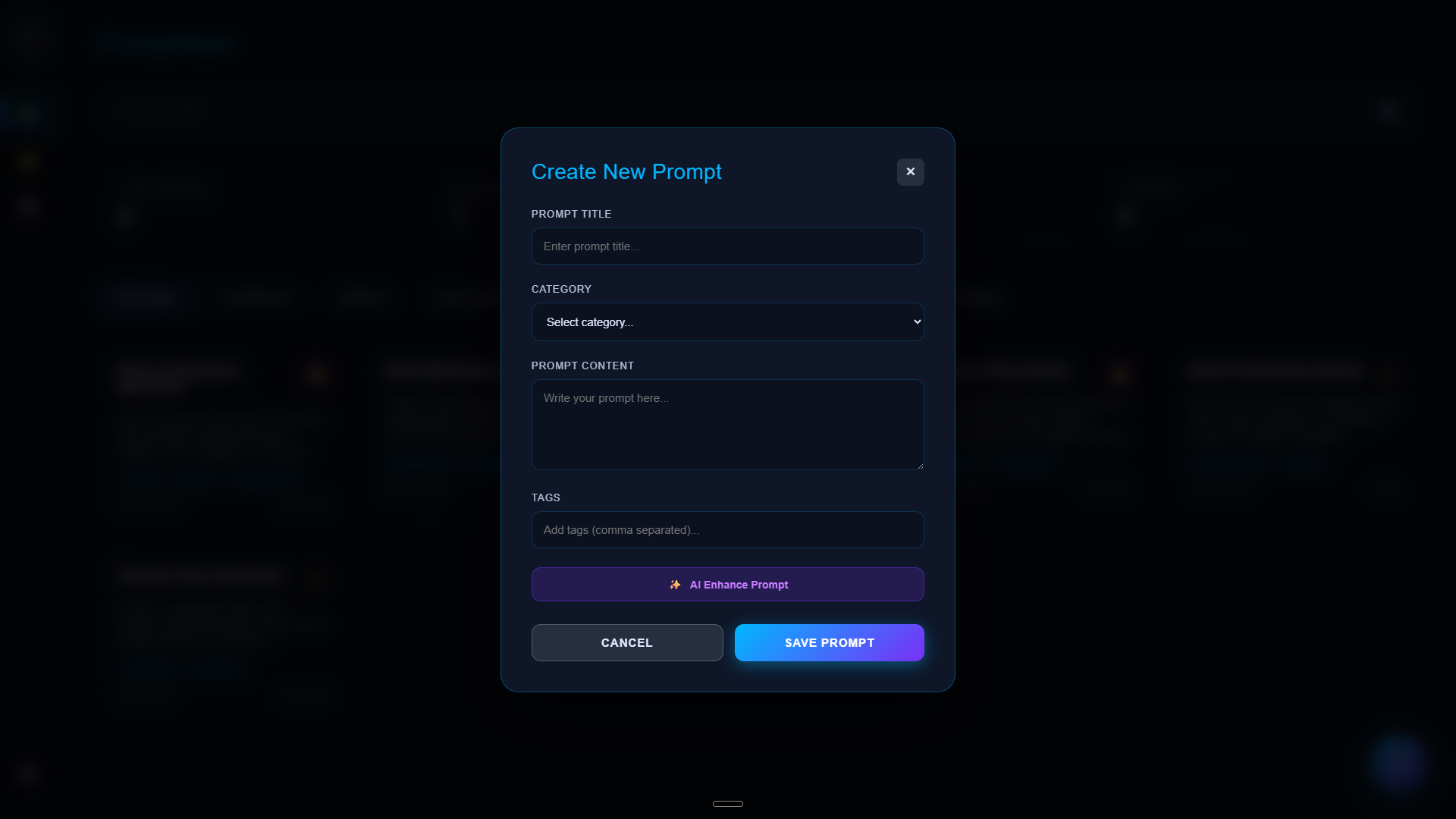
CRUD behaviors for prompts (view, edit, copy, delete with confirmation), favorites toggling, dynamic category creation, and import/export of JSON — plus notifications and modal patterns that keep destructive actions gated.
Dark "structured glass" UI with blur, translucency, cyan–violet accent gradients, animated environmental background (grid + particles), and hover-revealed secondary actions on cards — consistent with the wider portfolio visual language.
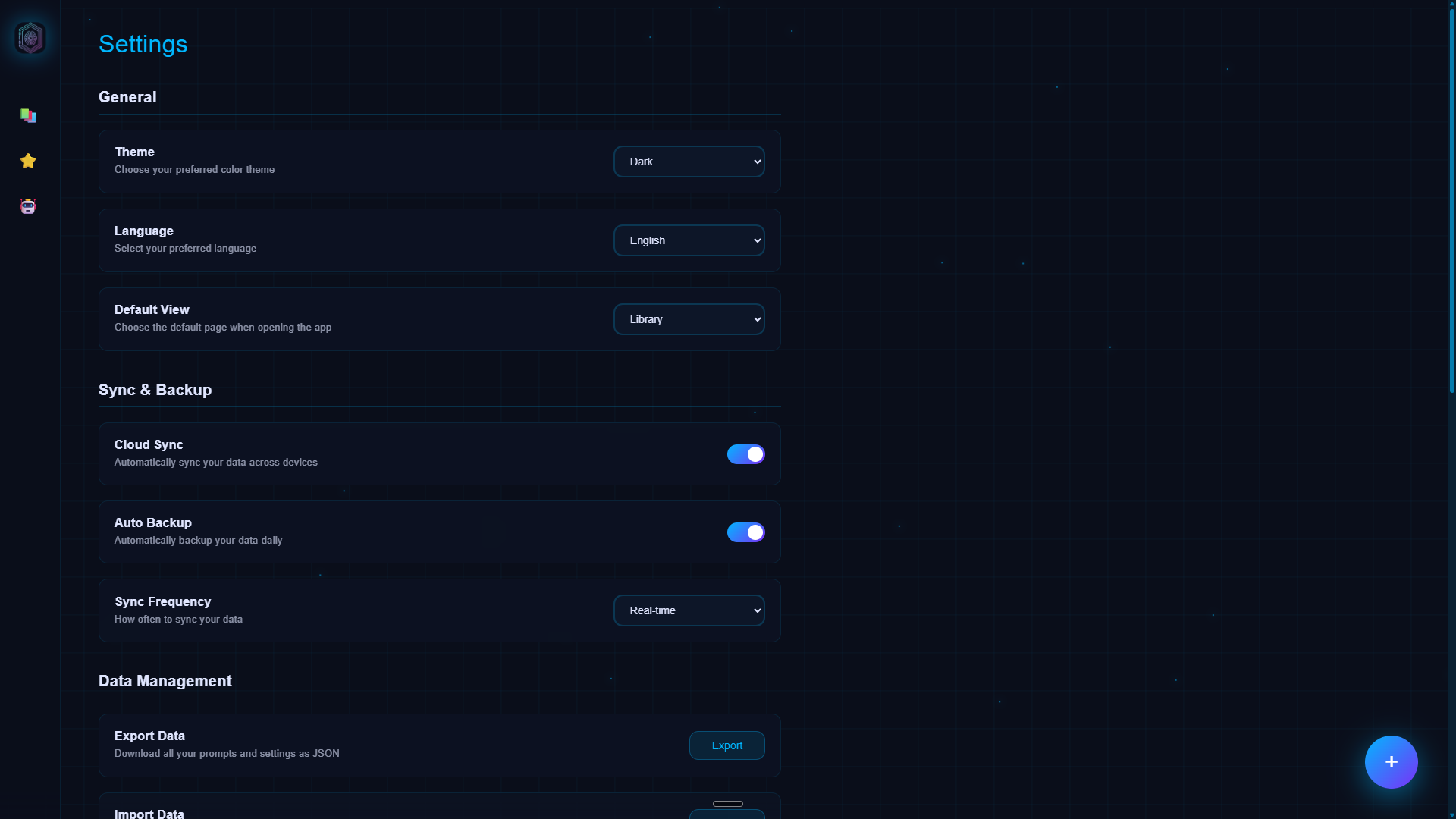
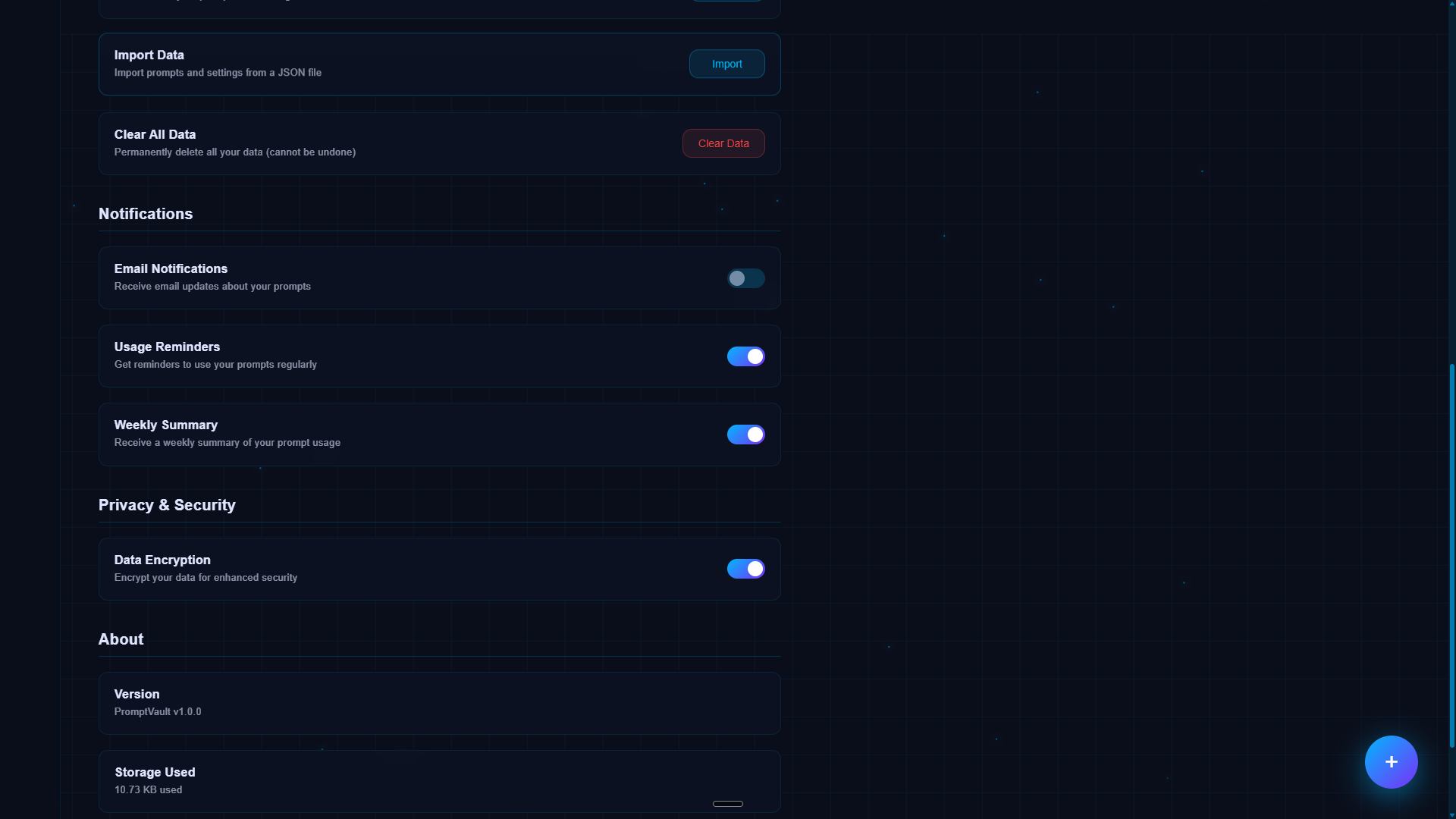
PromptVault was built intentionally without a server: no accounts, no hosted database, and offline-friendly persistence via the browser. That constraint drove the IA toward export/import as the real backup story and toward honest labeling of features that are stored as preferences vs. fully-implemented services — sync and encryption treated as roadmap items unless backed by infrastructure.
Fixed: Single-page architecture and localStorage as the source of truth. Flexible: Category taxonomy, card density, which metrics appear in the KPI bar, and how aggressively "AI Insights" language matches actual model-backed behavior in v1.
Early structure prioritized one-handed navigation (sidebar) and modal-based depth so the grid stays the hero surface — the place users spend most of their time.
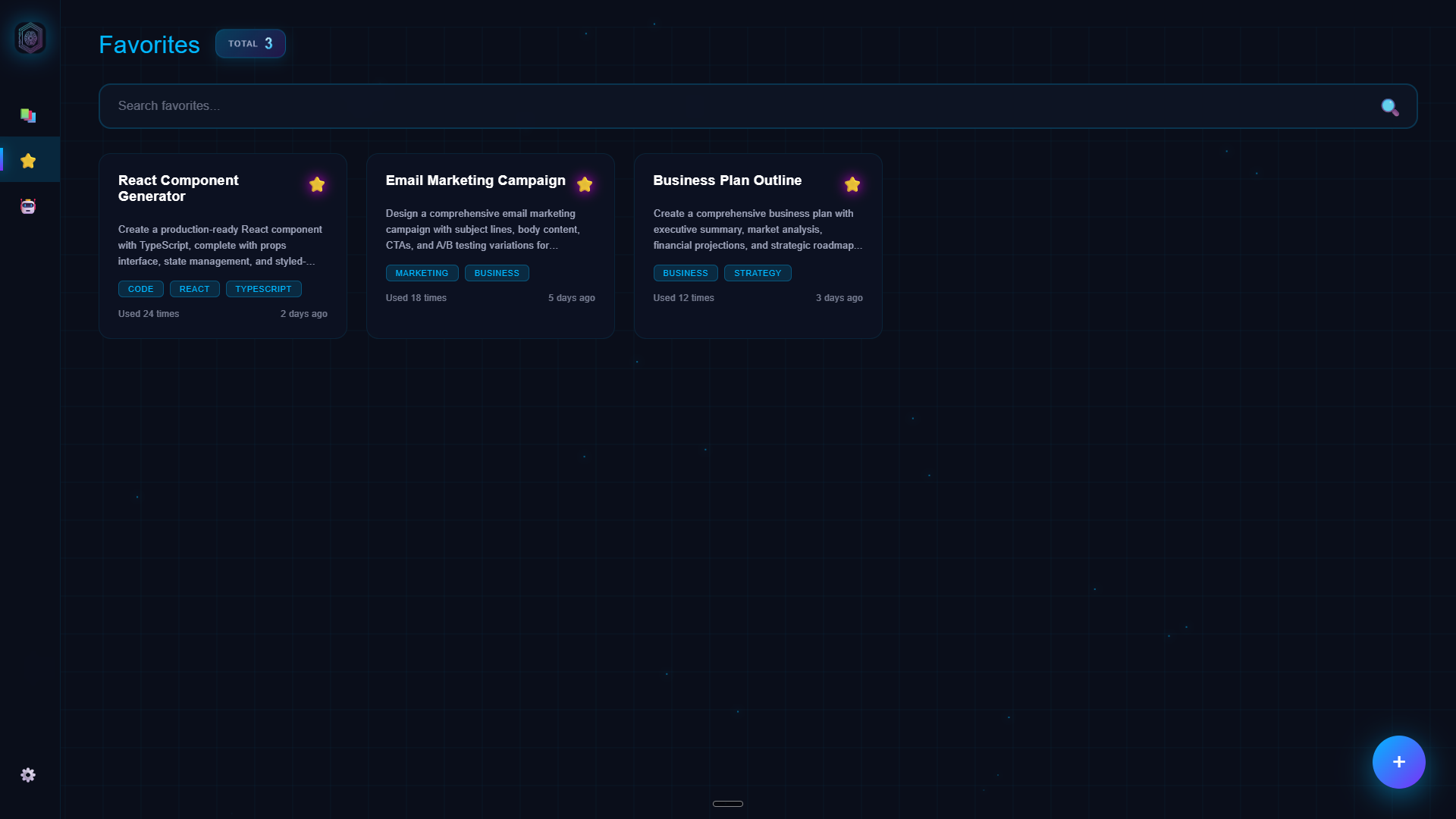
Library with active category filter — non-matching prompts hidden; scan path stays focused on matching results.
Brand intent: PromptVault should feel like a precision instrument — calm, legible, and slightly futuristic, evoking "workspace for serious prompting" without cartoonish AI tropes. High contrast for text, restrained glow, and glass panels that separate content from the animated field behind them.
Glassmorphism provides hierarchy (panels float; background moves slowly). Structure comes from strict grids, uppercase micro-labels, and consistent radii so the effect reads as product UI, not decoration. The chosen route trades maximal depth illusion for readability at 12–15 prompts per view.
Heavier neumorphism with softer blobs and busier background. Rejected: reduced scan speed on dense prompt cards; depth cues fought with tag chips and metadata.
Sharper panel edges, cooler palette, disciplined spacing. Selected: better card scannability; clearer separation between metadata and body preview at library scale.
The core loop — create a prompt, find it again, and put it to use — is where PromptVault earns its place. Getting friction out of this path was the highest-priority design problem.
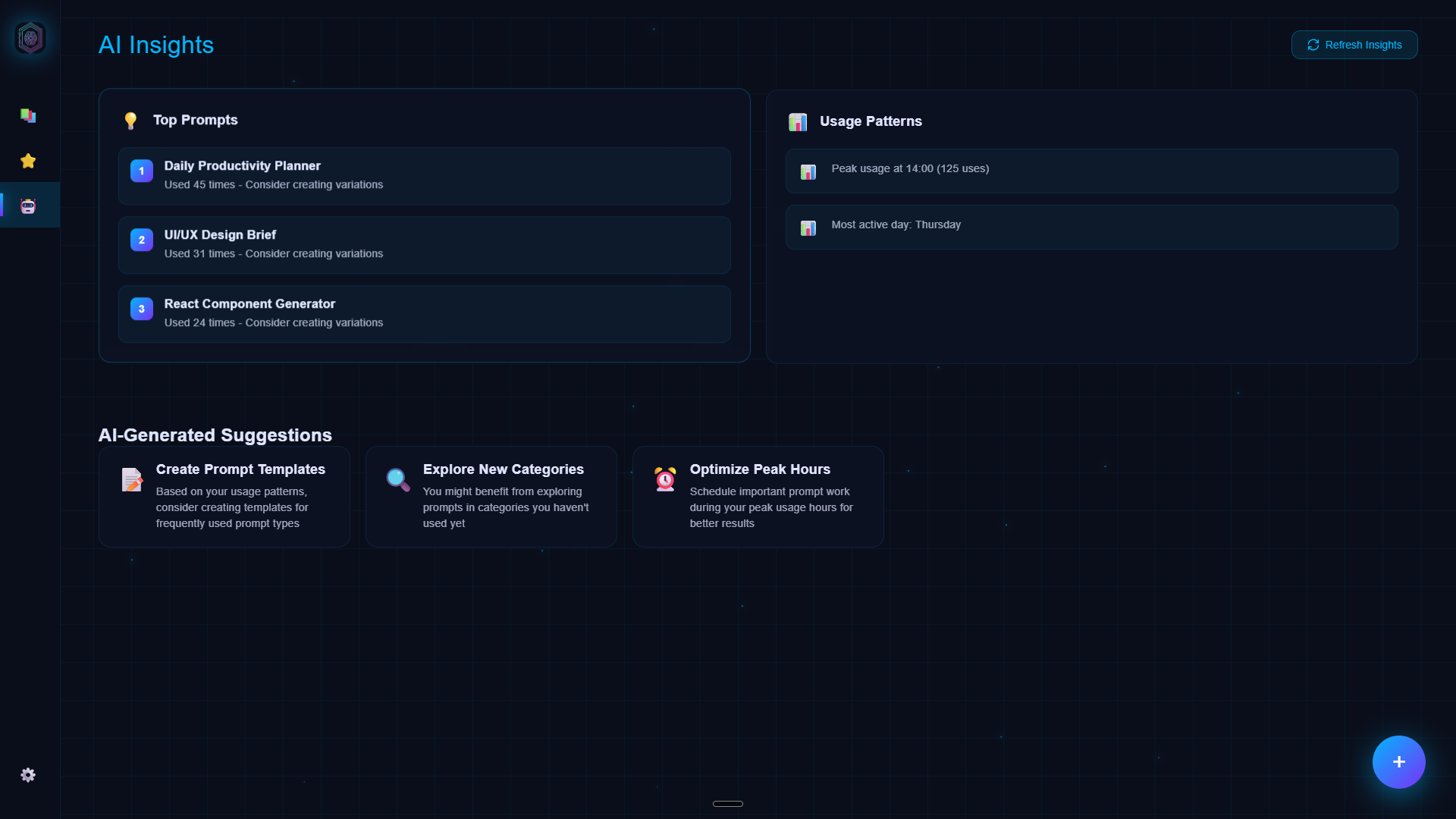
AI Insights — usage-derived summaries with an explicit Refresh control; honest about local-only computation.
I evaluated the save → locate → copy loop against Nielsen's core heuristics, mapping each to a concrete design decision in the shipped product.
Save feedback via toast; explicit delete confirmation; copy action shows success/error immediately via Clipboard API response.
Export/import provide undo paths outside delete. View mode separation means opening a prompt never risks accidental edits.
Delete requires a confirmation modal with content preview. Category creation is additive-only from the same modal — no accidental overwrites during add.
Categories and tags visible on every card; body preview in card reduces need to open a prompt just to confirm what it contains.
| Flow step | Problem found | Fix applied |
|---|---|---|
| Library scan | Edit/delete buttons competed with tag chips on dense cards | Actions hidden by default; revealed on hover as a vertical stack |
| Category filter | Tab overflow silent past ~6 categories | Scrollable filter row with clear overflow signal; "All" default emphasized |
| Open prompt | Opening a prompt immediately exposed edit fields — accidental edit risk | View mode is default; Edit requires explicit mode switch inside modal |
| Copy to clipboard | Copy affordance not noticed — toolbar blended with modal chrome | Copy button elevated with accent color; post-copy toast confirms action |
| Delete | No preview of what would be lost before confirming | Confirmation modal shows prompt title and truncated body before commit |
| Data backup | No recovery path for localStorage data; silent risk | JSON export/import in Settings with plain-language explainer above button |
| Insights | Auto-loading analytics implied live AI — mismatched expectation | Explicit Refresh button; section labeled as local usage analytics, not inference |
All screens use representative data only. Dark mode is the default; Settings exposes theme preferences.
Built directly in CSS without a framework, the system is organized from atoms up through templates. Radii cluster around 12–16px; separation uses 1px hairlines with low-opacity cyan; elevation is communicated with blur and shadow rather than heavy borders — keeping the "structured glass" direction legible at every level.
v1 delivers a coherent local-first prompt library with credible backup/export behavior and a scalable card/grid pattern for future features. Real full-text search, cloud sync, or model-backed assist can each slot into the same IA without renaming the product story — the architecture is honest about what it is today and extensible toward what it could become.
The project demonstrates how production-quality product thinking and visual craft can be achieved in a zero-dependency, framework-free implementation: the performance, persistence, and interaction model all work without a build step, making it immediately inspectable and deployable.
{{variable}} placeholders that populate on copy.